Desktop
The Dashboard
Your command center. See equipment needing service, items that are down, overdue tasks, preventative maintenance status, and facility counts — all at a glance.
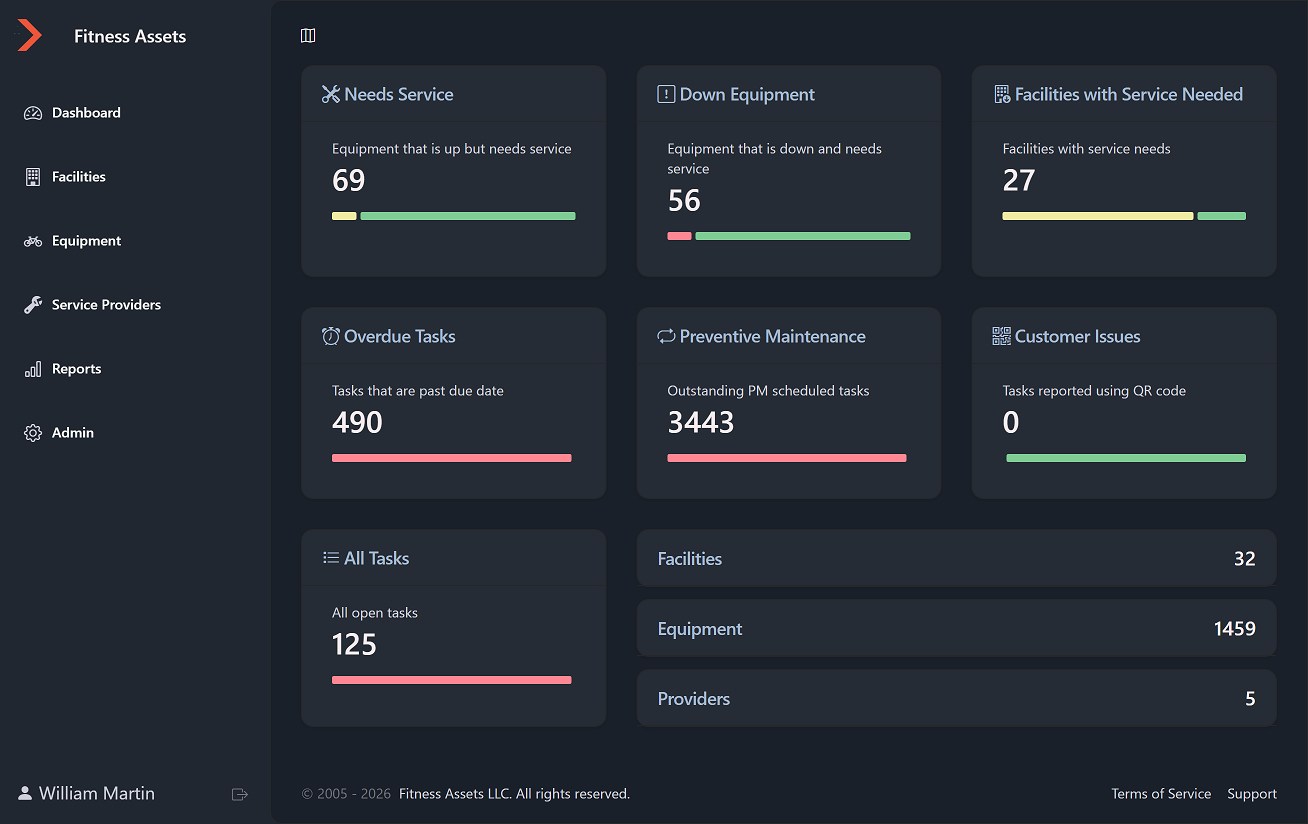
Desktop and mobile views of Fitness Asset Manager. Every screen works on any device — perfect for techs in the field and managers at the desk.
Your command center. See equipment needing service, items that are down, overdue tasks, preventative maintenance status, and facility counts — all at a glance.
Every location in your portfolio with addresses, contacts, equipment counts, and open tasks. Click into any facility to see its full equipment inventory.
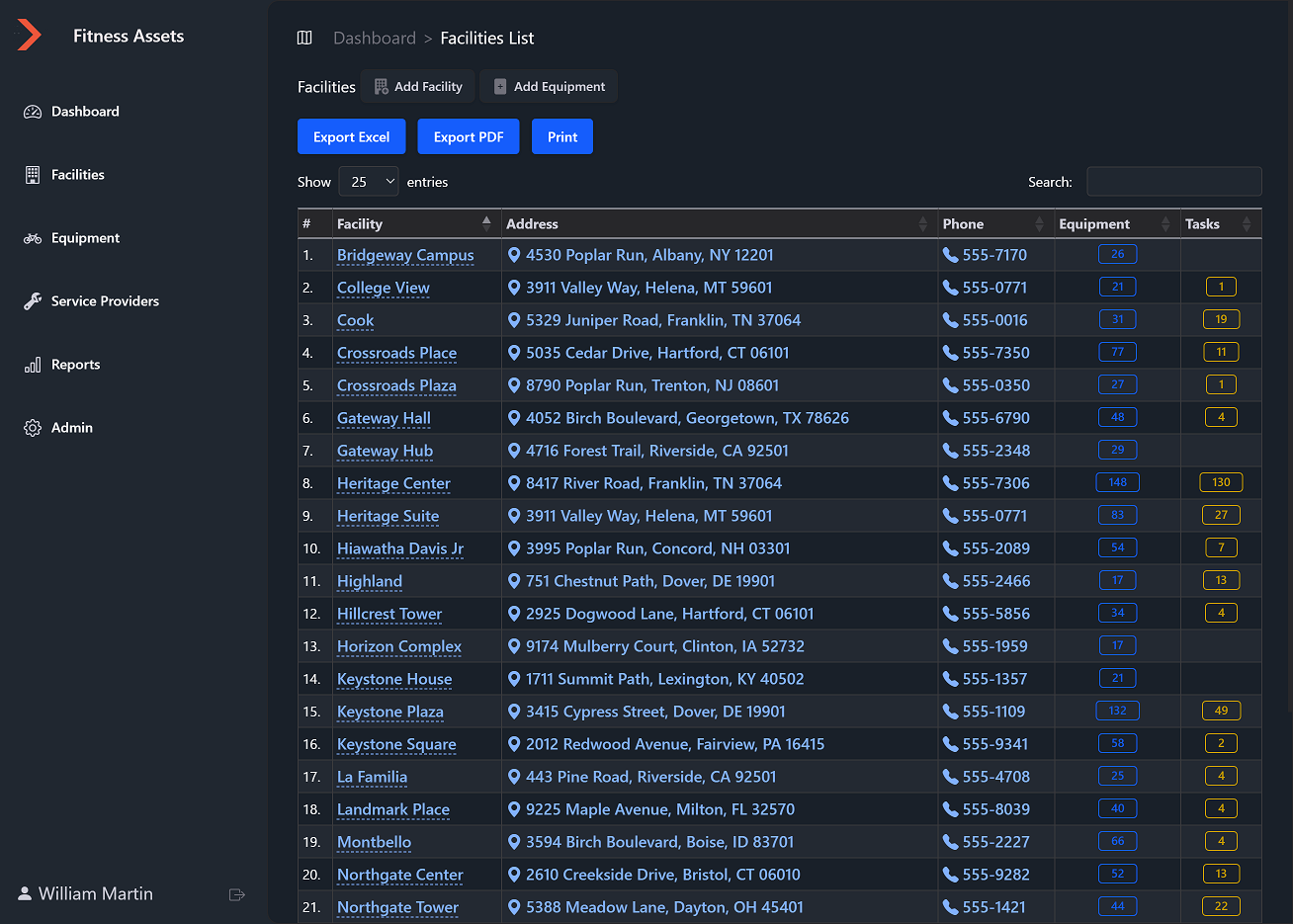
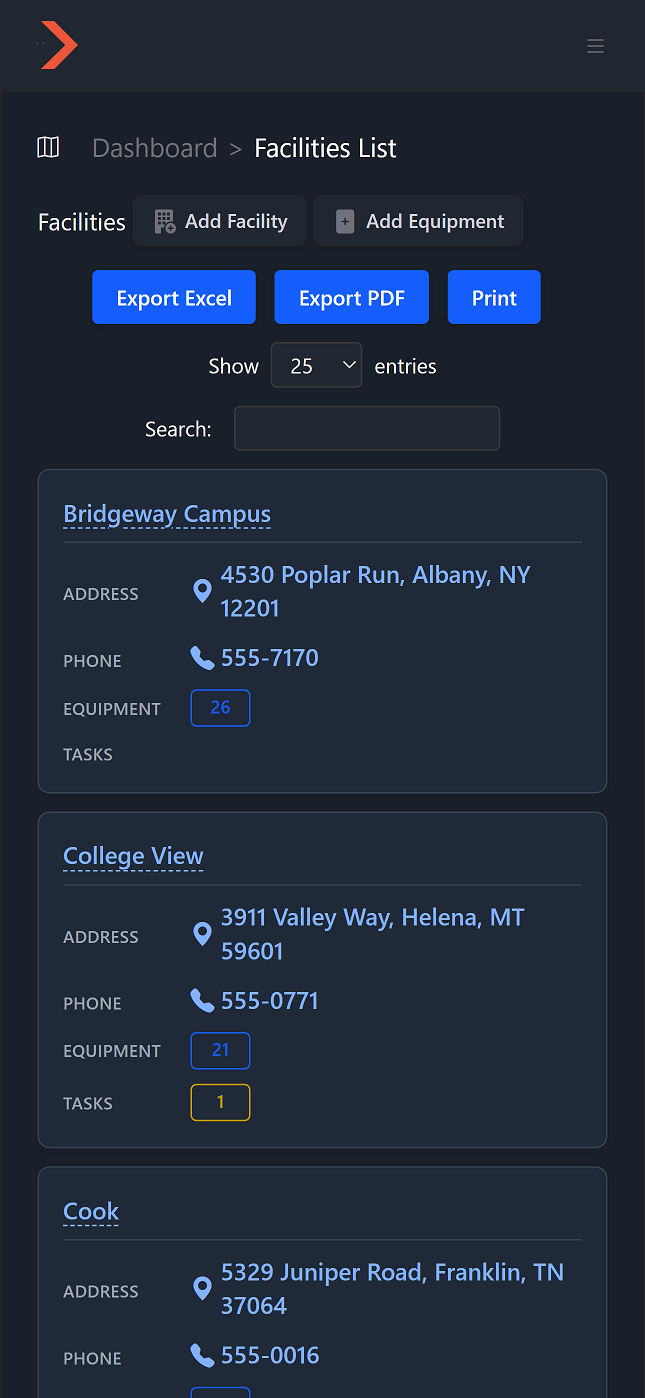
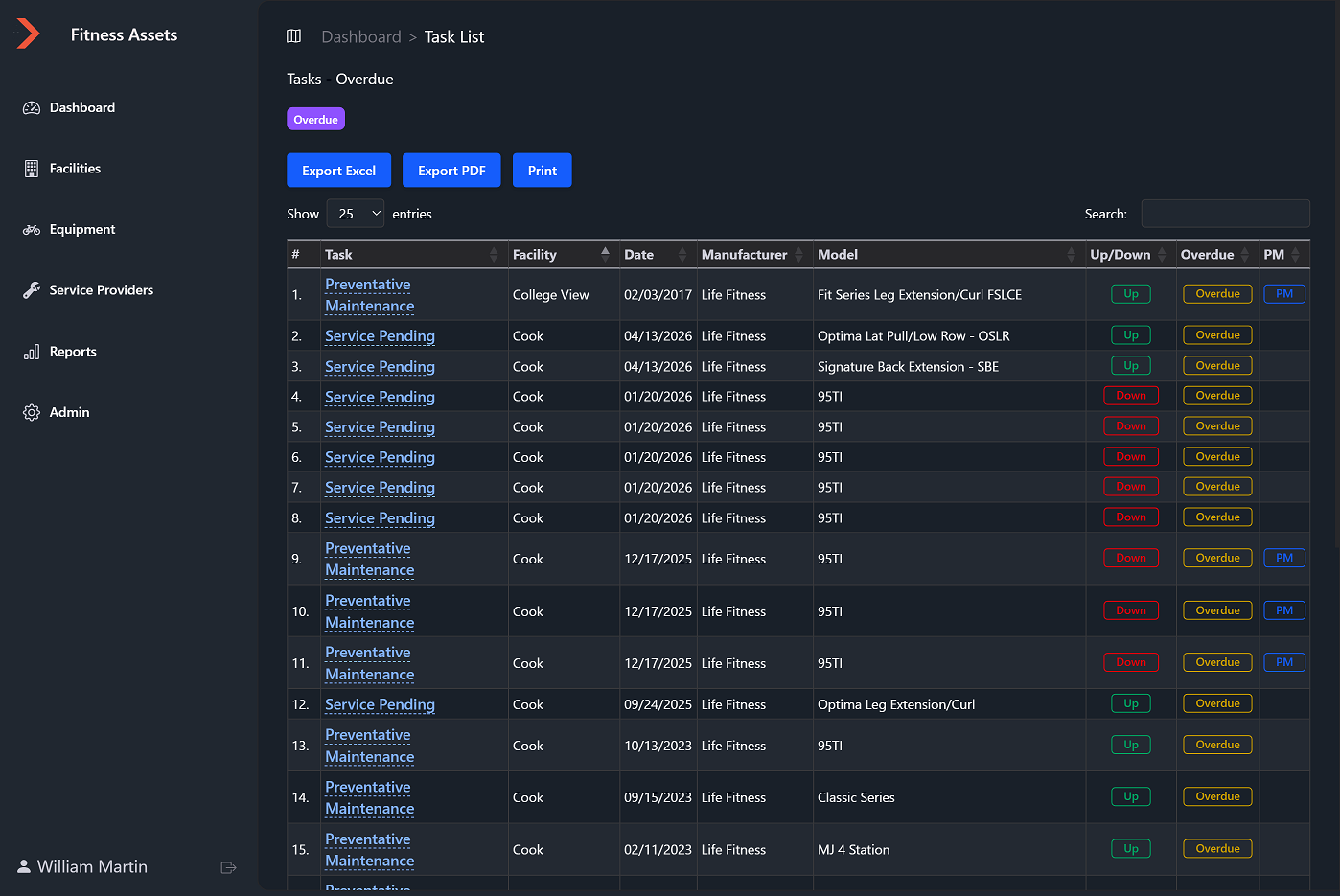
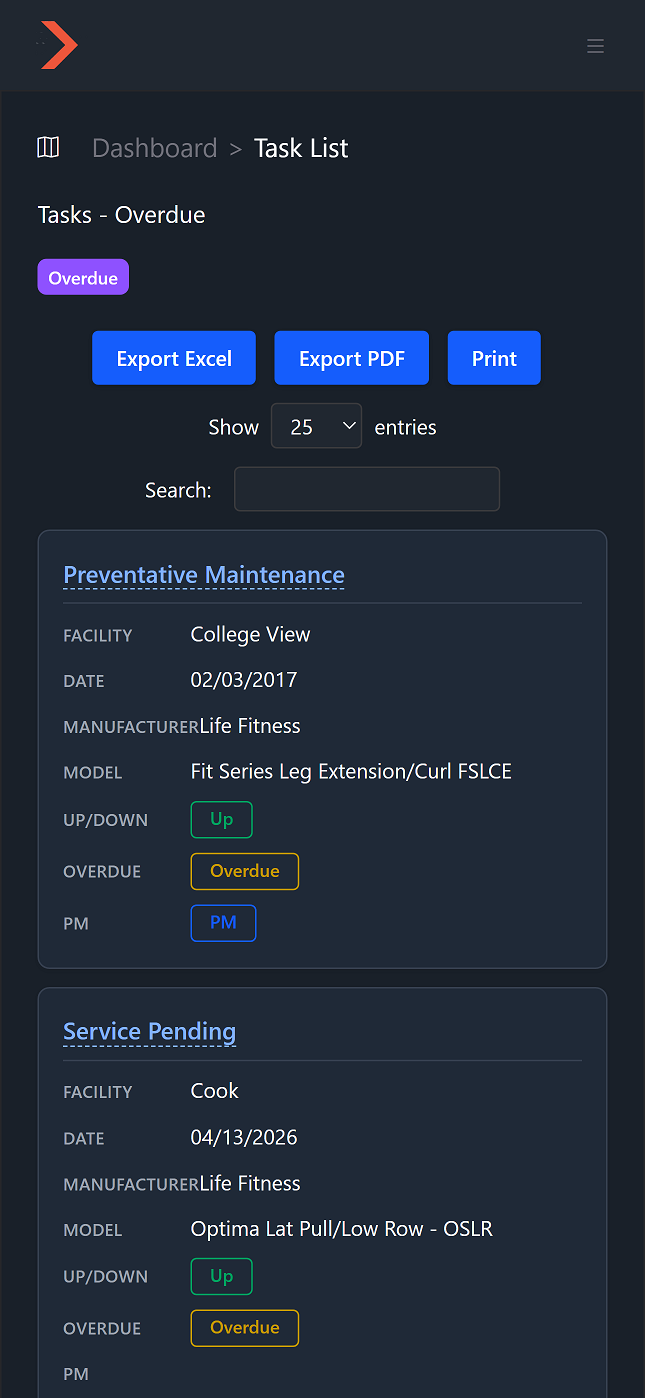
All maintenance tasks across your facilities: preventative maintenance, service requests, and overdue items. Filter by facility, manufacturer, or status to find what you need.
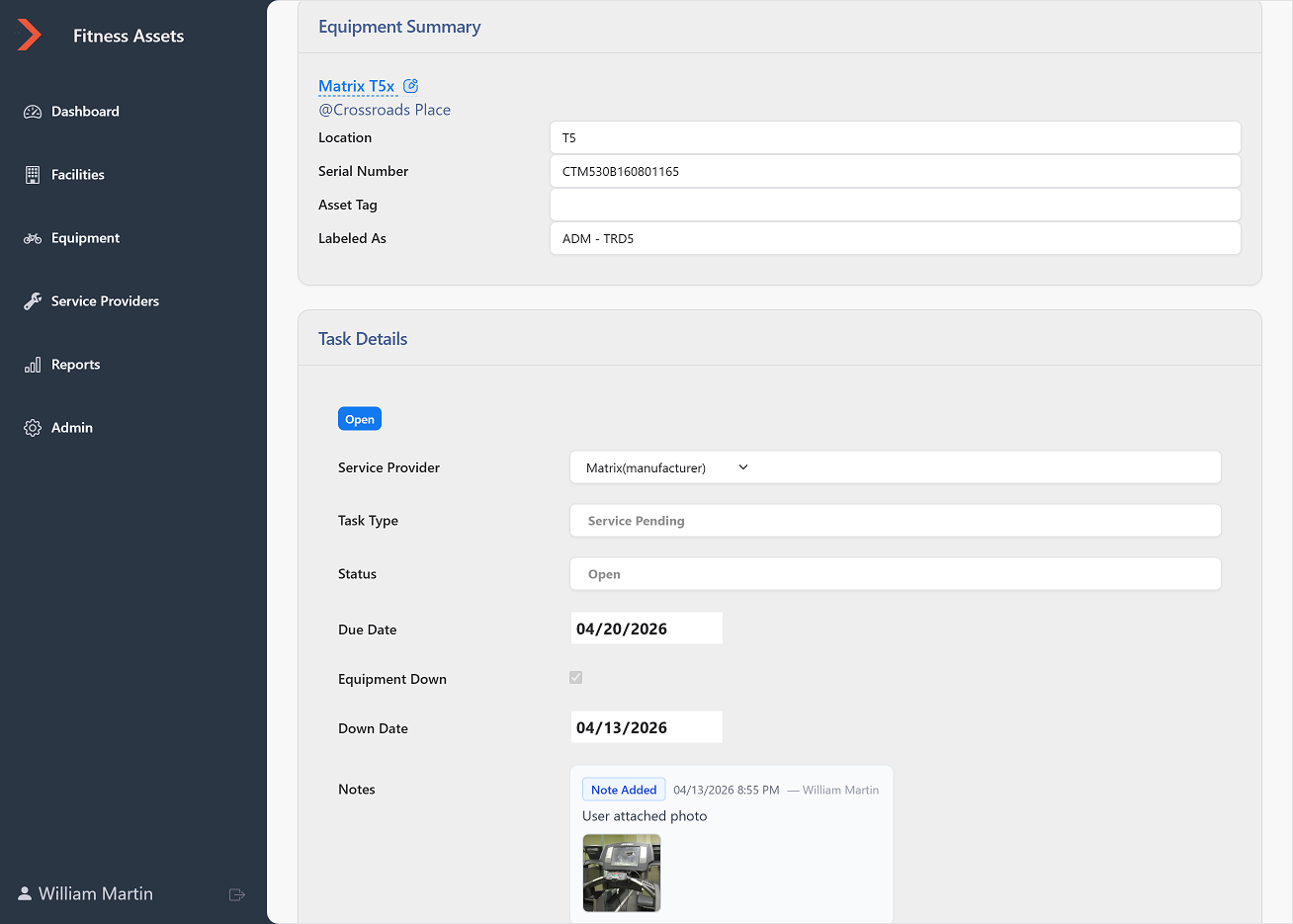
The complete record for every repair and maintenance task: equipment info, service provider, status, due dates, timestamped notes, and photo documentation.
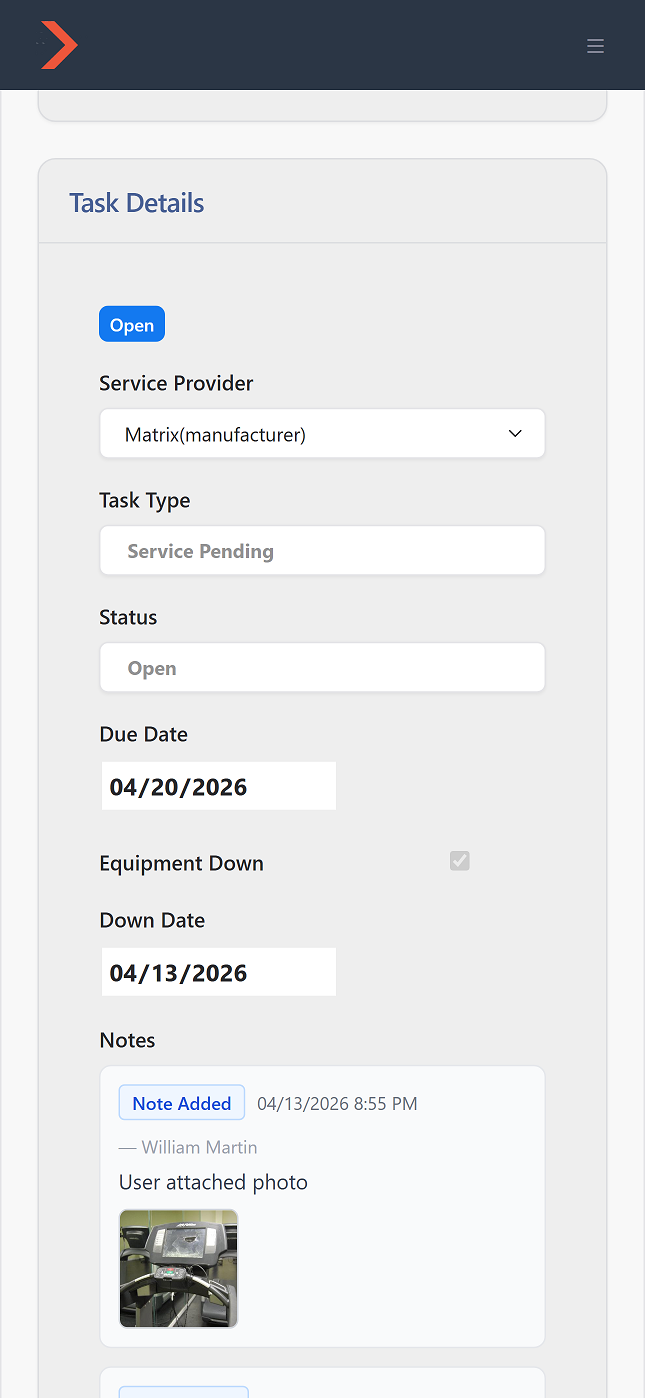
Techs in the field can view tasks, update status, and upload repair photos right from their phone. No app download required — it's a fully responsive web app.
Screenshots only tell part of the story. Request a demo and we'll walk you through Fitness Asset Manager with your specific needs in mind.